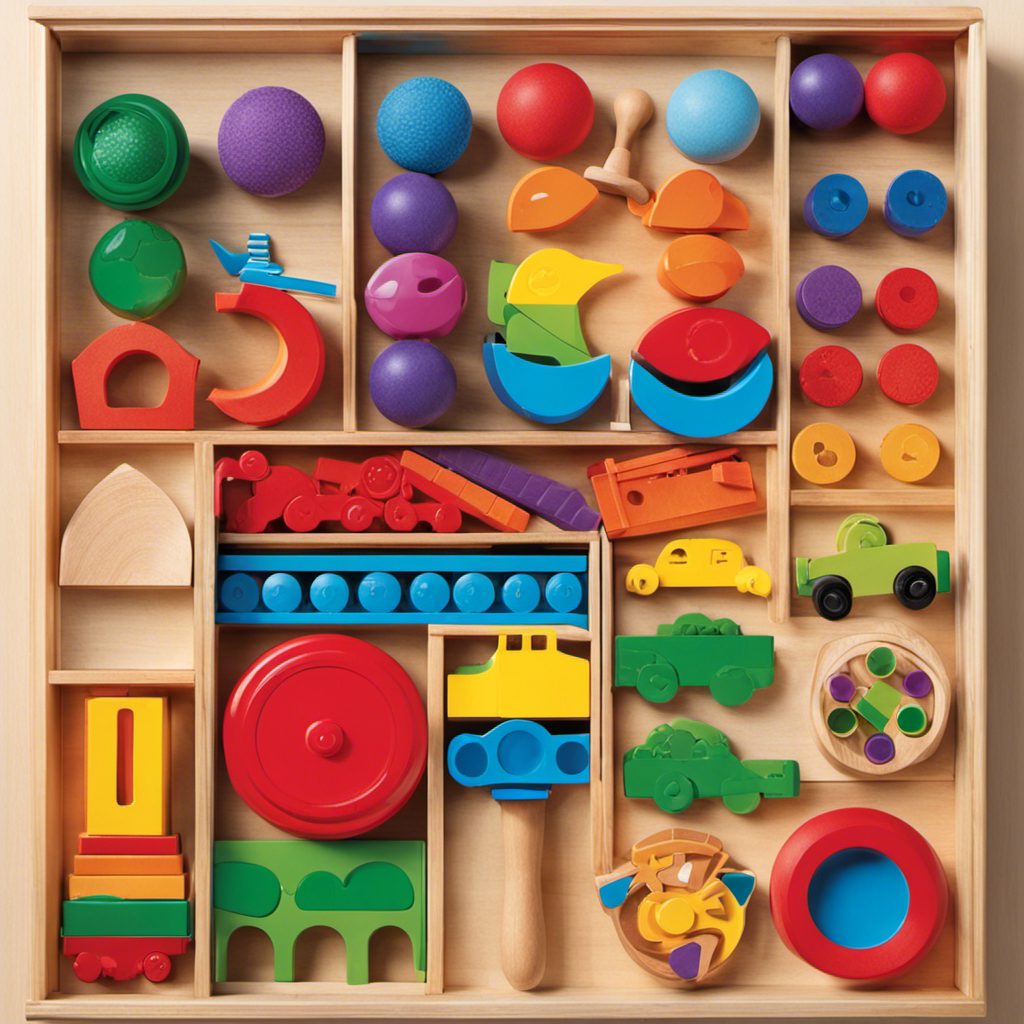

Use this guide to choose an interactive learning toy for a toddler, check it for safe use, and introduce it through simple play. It is written for caregivers with little experience selecting educational toys. Allow about 20-30 minutes to review a toy and prepare it; each play session can take 5-15 minutes, depending on the child’s interest.

Turn the school run and nap time into listening time
- Thousands of audiobooks, podcasts and originals
- Listen on your phone, tablet or Echo — also offline
- Cancel anytime

VTech Touch and Learn Activity Desk Deluxe (Frustration Free Packaging)
- ✔ Recommended age: 2 years and up
- ✔ Activities: 5 activity pages; 20+ activities
- ✔ Words and audio: 100+ vocabulary words; 20+ songs and melodies

LeapFrog Learning Friends 100 Words Book
- ✔ Recommended age: 18 months and up
- ✔ Vocabulary: More than 100 age-appropriate words
- ✔ Languages: English and Spanish

VTech Little CEO Learning Desk Toddler Activity Center
- ✔ Recommended age: 9–36 months
- ✔ Learning topics: Numbers, letters, and music
- ✔ Interactive objects: Keyboard, phone, mouse, book, coffee cup, peekaboo plant, and pen
Difficulty: Beginner | Time: 20-30 minutes to choose and set up; 5-15 minutes per play session
What You’ll Need
Tools & Materials:
- The toy’s packaging and age guidance, or its instruction booklet
- A clear, supervised play space
- Batteries or a charging cable if the toy requires them
Knowledge:
- The toddler’s approximate age, interests, and current abilities
- Basic supervision during play
Use the manufacturer’s age guidance and safety instructions. A toy described as educational still needs to suit the child’s size, abilities, and play habits. Keep packaging, small accessories, and batteries away from children unless the instructions say they are safe for the intended age.
VTech Touch and Learn Activity Desk Deluxe (Frustration Free Packaging)
For families looking for one toy that can shift between learning modes, the Touch and Learn Activity Desk Deluxe has the strongest range in this lineup. Its five activity pages introduce subjects such as letters, numbers, music, and colors, while the LED display shows letter and number stroke order and basic shapes. That guidance gives little learners a visual cue to follow, rather than relying only on spoken prompts. A pretend phone and music player add play between more instructional activities.Its biggest distinction from the LeapFrog book is variety over portability: this desk supports a broader activity session, but it takes up considerably more room than a book-sized toy. It also differs from the Little CEO desk by including art functions and an easel-and-chalkboard setup, so it can move beyond electronic prompts into drawing. The supplied product details list optional expansion packs, which may add focused topics, but they are sold separately.That breadth comes with practical limits. It is intended for ages 2 and up, so it is not the best match for the youngest toddlers in this comparison. The unit measures about 26 by 22 by 21 inches, and requires four AA batteries that are not included. Families with limited floor space or a child who prefers small, simple toys may find the LeapFrog book easier to bring into everyday routines.
Pros:
- Five activity pages cover several early learning subjects.
- LED guidance demonstrates letter and number strokes and basic shapes.
- Transforms into an easel and chalkboard for creative play.
- Includes pretend phone and music player functions.
Cons:
- Large desk-and-chair footprint requires a dedicated indoor play area.
- Four AA batteries are required and not included.
- Listed for ages 2 and up, making it less suitable for younger toddlers.
Best for: Families with a toddler aged 2 or older who has room for a dedicated play station and enjoys switching between early academics, music, and drawing.
Not ideal for: Caregivers seeking a compact toy for a child under 2, or a low-setup option that does not need batteries purchased separately.
Bottom line: Choose this desk when activity variety and a mix of guided learning and drawing matter more than compact size or a younger starting age.
“Choose this desk when activity variety and a mix of guided learning and drawing matter more than compact size or a younger starting age.”
LeapFrog Learning Friends 100 Words Book
The LeapFrog Learning Friends 100 Words Book makes the most sense when a caregiver wants interactive word exposure without setting up a play station. Children touch pictures on the pages to hear words, sound effects, and facts, with categories ranging from animals and food to colors and opposites. Its defining feature is the option to hear words, songs, and instructions in English and Spanish, giving this pick a language-learning focus the two desk toys do not match.Compared with the Touch and Learn desk, the book offers a narrower curriculum but is smaller and easier to bring out for a short, focused activity. It also asks less of a child physically than the Little CEO desk, which invites touching and manipulating several pretend office objects. That simplicity is an advantage for toddlers who are drawn to pictures and sounds, though it may not hold the interest of children who want varied actions or drawing.The book is intended for ages 18 months and up and measures about 9.4 by 9.2 inches. Its touch-to-play interaction gives young children a direct link between a picture and a spoken word, but the learning is primarily listening and vocabulary practice. It requires two AA batteries; the included batteries are for demonstration, so new batteries are recommended for regular use. Choose it for accessible, bilingual word play, and skip it if you want an all-in-one activity center.
Pros:
- Offers word, song, and instruction audio in English and Spanish.
- Touching page pictures triggers words, sound effects, and facts.
- Covers everyday categories including animals, food, colors, and activities.
- Book-sized format is easier to store and carry than either desk.
Cons:
- Primarily supports listening and vocabulary rather than drawing or varied physical play.
- Two AA batteries are required; new batteries are recommended for regular use.
- Less activity variety than the Touch and Learn desk.
Best for: Caregivers of children 18 months and older who want a compact, picture-led way to introduce everyday vocabulary in English and Spanish.
Not ideal for: Families seeking art activities, a broad curriculum, or multiple kinds of hands-on pretend play in one toy.
Bottom line: Pick this book when bilingual vocabulary and a compact format are more useful than a wide range of activities.
“Pick this book when bilingual vocabulary and a compact format are more useful than a wide range of activities.”
VTech Little CEO Learning Desk Toddler Activity Center
The Little CEO Learning Desk uses familiar grown-up objects to invite toddlers into play: a keyboard, phone, mouse, book, coffee cup, and peekaboo plant. Pressing, turning, opening, and scrolling give little hands several ways to explore. The product description also lists introductions to numbers, letters, and music, so its appeal is the combination of simple learning cues and imitation, rather than a structured set of lessons.Its listed age range of 9–36 months starts earlier than either other pick, which makes it a useful option for younger toddlers who enjoy cause-and-effect play. Compared with the LeapFrog book, it offers more physical actions but does not specify bilingual audio or a 100-word vocabulary set. Compared with the Touch and Learn desk, it is a smaller 14-by-12.4-by-8.7-inch activity center, but its listed features are less academically varied and it does not convert into an art station.We would choose it for a child who likes copying familiar routines and exploring objects, not for a caregiver seeking clearly described progressions in writing, shapes, or multiple school-readiness topics. It requires three AA batteries, with demo batteries included and new batteries recommended for regular use. The stated dimensions and three-pound weight are easier to fit into a play area than the larger VTech desk, but it still serves as a fixed indoor activity center rather than a book to tuck into a bag.
Pros:
- Listed age range begins at 9 months.
- Multiple objects invite pressing, turning, opening, and pretend play.
- Introduces numbers, letters, and music through play.
- Smaller and lighter than the Touch and Learn desk.
Cons:
- Product details give less information about learning progression and activity count.
- Does not list bilingual audio or the extensive vocabulary set of the LeapFrog book.
- Three AA batteries are required; new batteries are recommended for regular use.
Best for: Caregivers of toddlers aged 9–36 months who are drawn to pretend work, phones, keyboards, and hands-on cause-and-effect play.
Not ideal for: Buyers prioritizing bilingual vocabulary, detailed academic guidance, or a convertible desk with drawing and chalkboard activities.
Bottom line: Choose the Little CEO when imitation and hands-on exploration are the draw, while accepting a less clearly specified academic program.
“Choose the Little CEO when imitation and hands-on exploration are the draw, while accepting a less clearly specified academic program.”
As an Amazon Associate we earn from qualifying purchases.
Before You Start
Choose a time when the toddler is rested and an adult can stay close. Inspect the play area for choking hazards, cords, unstable furniture, and objects the child might pull down. Interactive features can include lights, sounds, buttons, or simple cause-and-effect actions; they do not need to involve a screen. Keep the first session simple so you can see how the child handles the toy.
Step-by-Step Instructions
Step 1: Choose one learning goal
Pick one ability you want the toy to invite, such as matching shapes, naming familiar objects, taking turns, listening to sounds, or practicing hand movements. Choose a goal that fits what the toddler already enjoys. For example, a child who likes pressing buttons may enjoy a toy that plays a sound after each press.
Tip: Treat the goal as a play opportunity, not a test. A toddler can explore without naming, counting, or completing anything.
Check: You can describe the intended play in one simple phrase, such as “press a button and listen” or “fit the shape into the matching opening.”
Step 2: Check the toy’s age guidance and features
Read the age range, warnings, and instructions on the package or in the booklet. Check that the toy’s parts are too large to pose a choking risk for the child and that it has no sharp edges, loose components, or accessible battery compartment. Look for features the toddler can use with their current abilities, such as large buttons, sturdy pieces, or clear cause-and-effect responses.
Tip: A toy intended for older children may have small pieces or challenging steps even if an adult can supervise. Follow the maker’s age guidance.
Check: The toy matches the child’s age guidance, has no visible damage or loose parts, and offers at least one action the child can attempt independently.
Step 3: Prepare the toy
Remove packaging, tags, and protective film. Assemble the toy exactly as directed. If it needs batteries or charging, have an adult install or connect them according to the instructions, then close and secure any battery cover before play. Set the volume to a comfortable level when adjustable.
Tip: Keep button batteries, battery covers, and charging cords out of reach. Do not let a toddler play with a toy while it is plugged in unless the maker explicitly permits it.
Check: The toy powers on as described, its parts are attached securely, and no packaging, loose battery, or cord is within the child’s reach.
Step 4: Set up a clear play space
Place the toy on a stable floor or low surface where the toddler can reach it without climbing. Sit nearby at the child’s level. Move away small objects, food, and other toys that could distract the child or create a safety risk. Keep the play area small enough for you to supervise comfortably.
Tip: For toys with several pieces, put out only the pieces needed for the first activity. Store the rest where the toddler cannot access them unsupervised.
Check: The toddler can reach the toy from a stable position, and you can see and reach the child throughout play.
Step 5: Show one simple action
Demonstrate one action slowly, such as pressing a button, turning a page, placing a large piece, or shaking a sound toy. Use a short phrase to describe it, then pause and let the toddler try. Wait several seconds before showing the action again so the child has time to respond.
Tip: Avoid demonstrating every feature at once. Too many sounds, choices, or instructions can make it harder for the child to focus.
Check: The child gets a chance to explore the same action after watching you, even if their attempt differs from the demonstration.
Step 6: Follow the toddler’s interest
Notice which feature holds the child’s attention and join that play. Name what the child is doing, imitate an action, or offer one related prompt, such as “You pressed the blue button” or “Should we try that again?” Let the child repeat an action without correcting them when repetition is safe.
Tip: Keep prompts brief and give the child time to answer with words, gestures, or actions. Do not require a correct answer before continuing.
Check: The toddler has room to explore, and your interaction follows the child’s attention rather than turning play into a quiz.
Step 7: Take turns when the toy supports it
For a toy designed for shared play, take a short turn and then invite the toddler’s turn. Use a simple cue such as “my turn” and “your turn,” and hand over the toy or piece safely. If the toddler does not want to share, model the turn once without forcing them to continue.
Tip: Turn-taking is a practice opportunity. Keep the exchange friendly and brief, especially when the child is new to the toy.
Check: Both adult and child can participate without grabbing, unsafe handling, or pressure to keep playing.
Step 8: End the session and store the toy
Stop when the toddler loses interest, becomes frustrated, or starts using the toy unsafely. Tell the child the play is finished, then put small pieces, batteries, and cords away where they cannot reach them. Switch off the toy or follow its storage instructions, and check for damage before the next use.
Tip: A short, positive session is enough. The child does not need to complete every activity or use every feature.
Check: The child is away from the toy’s loose parts and power accessories, and the toy is switched off and stored as directed.
Common Mistakes to Avoid
- Choosing a toy because it promises many skills or features. — Match the toy to one current interest or ability, and check the age guidance and parts before purchase or use.
- Giving too many instructions or demonstrating every feature. — Show one action, use a short phrase, and pause so the toddler can explore.
- Expecting the toddler to use the toy in only one correct way. — Allow safe repetition and exploration. Treat the toy as a prompt for play rather than a lesson with a required answer.
- Leaving small accessories, batteries, or cords within reach. — Set up the space before play, supervise closely, and store loose parts and power accessories immediately afterward.
Troubleshooting
Problem: The toddler ignores the toy.
Solution: Try again at a calmer time, demonstrate one action, or connect the toy to something the child already likes. Stop if interest does not return; do not force participation.
Problem: The sounds or lights upset or distract the child.
Solution: Turn down or disable the feature if the instructions allow it. Choose a quieter activity or stop the session if the child remains uncomfortable.
Problem: The toy does not turn on or respond.
Solution: Switch it off, then check the instructions for battery type, battery direction, charging steps, and any setup switch. An adult should handle batteries and cables. Do not use the toy if it is damaged or gets unusually hot.
Problem: The toddler gets frustrated with a task.
Solution: Simplify the activity by removing extra pieces, showing one step, or helping the child complete an action together. If frustration continues, put the toy away and try another time.
What Success Looks Like
The toy suits the toddler’s age guidance and abilities, works as directed, and has no loose or damaged parts. During play, an adult can supervise closely while the child explores at least one feature without pressure to perform. Afterward, the toy is switched off and stored with small parts, batteries, and cords out of reach.
Next Steps
Offer the toy again when the toddler is interested, and vary one simple action at a time. Check the toy for damage before each session and follow the maker’s cleaning and battery instructions. As the child’s skills change, adjust the activity or choose a toy with age guidance that fits their current abilities. Contact the manufacturer if a toy breaks, behaves unexpectedly, or has unclear safety instructions.
Frequently Asked Questions
How long should a toddler play with an interactive learning toy?
Let the child’s attention guide the session. A few focused minutes can be enough; stop when the toddler loses interest, becomes tired, or seems frustrated.
Do interactive learning toys need screens?
No. Buttons, sound toys, shape sorters, simple puzzles, and toys that respond to touch can all invite interactive play. Choose features that fit the child and follow the toy’s age guidance.
Should I correct the toddler when they use the toy differently?
Step in when the child’s use is unsafe or the toy could be damaged. Otherwise, let them explore and describe what they are doing. Show the intended action again only if the child seems interested or asks for help.
What should I do if the toy has small pieces?
Follow the age warning and keep pieces that are not safe for the toddler out of reach. Supervise activities with loose parts and store them promptly after play.
Evergreen bestsellers Picks

Bose QuietComfort Wireless Noise-Cancelling Headphones, Moonlight Grey

Bose QuietComfort Ultra Wireless Noise Cancelling Earbuds, 2nd Gen, with 20W 2-Port Wall Charger

Ninja Luxe Café Premier 3-in-1 Espresso Machine, Drip Coffee & Cold Brew
As an affiliate, we earn on qualifying purchases.