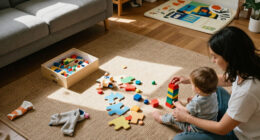
When choosing interactive learning toys for a toddler, the real question is how much guidance the toy should provide. Hands-on, screen-free toys such as shape sorters, stacking sets, and activity boards respond to a child’s actions without directing each step. Electronic toys add buttons, sounds, lights, songs, or spoken prompts that can make cause and effect easier to notice.

Turn the school run and nap time into listening time
- Thousands of audiobooks, podcasts and originals
- Listen on your phone, tablet or Echo — also offline
- Cancel anytime

LeapFrog Learning Friends 100 Words Book
- ✔ Intended age: 18 months and up
- ✔ Vocabulary: More than 100 words
- ✔ Languages: English and Spanish

VTech Touch and Learn Activity Desk Deluxe
- ✔ Intended age: 2 years and up
- ✔ Activity pages: 5
- ✔ Activities: 20-plus

VTech Little CEO Learning Desk Toddler Activity Center
- ✔ Intended age: 9–36 months
- ✔ Learning objectives: Counting, first words, letters, number recognition, motor skills
- ✔ Play format: Office-themed activity center
Both can support exploration, but they suit different play styles. Screen-free toys usually offer more open-ended practice and simpler upkeep; electronic toys can hold attention with immediate feedback and introduce guided activities. Choose hands-on toys if you want flexible, repeatable play, and electronic toys if your toddler responds well to sound and clear prompts. The best choice depends less on which toy seems more educational and more on how your child likes to learn.
At a Glance
| Criteria | Hands-on, screen-free learning toys | Electronic interactive learning toys | Winner |
|---|---|---|---|
| Play style and independence | Open-ended manipulation; the child decides how to use the toy. | Usually built around prompts, buttons, songs, or set activities. | A |
| Feedback and engagement | Feedback comes from the child’s actions, such as a piece fitting or a tower falling. | Lights, sounds, or spoken responses can make actions feel rewarding right away. | B |
| Learning flexibility | Can be reused in many ways as skills and interests change. | Activities may teach specific words, songs, or cause-and-effect patterns; flexibility varies by toy. | Depends |
| Durability and upkeep | Often has fewer parts that can fail; cleaning depends on materials and design. | May need batteries or charging; electronic components add possible failure points. | A |
| Noise and sensory input | Quiet or mostly quiet, with no built-in sounds or lights. | Sound and lights can attract attention but may be too much for some children or settings. | Depends |
| Value over time | Often a lower-cost way to provide repeat play, especially with versatile toys. | A higher price may be worthwhile if the child uses the features regularly. | Depends |
LeapFrog Learning Friends 100 Words Book
For a toddler who learns by tapping and hearing, the LeapFrog Learning Friends 100 Words Book offers the clearest match between action and response in this group. Touching pictures on its pages plays words, sound effects, and facts, while the language switch lets families explore the words, songs, and instructions in English and Spanish. That focused loop makes it more immediately approachable than the VTech Activity Desk, which spreads attention across letters, numbers, art, and music.The book’s 100-plus words cover familiar categories such as animals, food, colors, activities, and opposites. This gives adults useful topics to talk about together without requiring a large play surface. Compared with the Little CEO desk, LeapFrog makes vocabulary the main event rather than placing words among themed pretend-play actions. The light-up star adds two songs, and Fun Sounds mode offers a change of pace, though neither feature makes this as varied a play station as the Activity Desk.Its compact book shape is the practical advantage: it is easier to carry between rooms or pack away than either desk. The tradeoff is that play centers on touching printed pictures and listening; there is no easel, chalkboard, or broad set of manipulable objects. Families should also plan on replacing the demo batteries for regular use. We rank it first for its focused, bilingual interaction and simpler footprint, while recommending a desk if the priority is a wider range of play modes.
Pros:
- Touching pictures plays words, sound effects, and facts, making the interaction easy to understand.
- Offers words, songs, and instructions in English and Spanish.
- Covers more than 100 words across familiar categories.
- Book format is more compact and movable than either VTech desk.
Cons:
- The main activity is listening to content tied to printed pictures, so play is less varied than at the Touch and Learn Activity Desk.
- Requires two AA batteries; new batteries are recommended for regular use.
- Does not provide the desk, easel, or chalkboard activities available with the larger VTech option.
Best for: Families seeking a portable first-word activity with English and Spanish audio and straightforward touch-to-hear play.
Not ideal for: Toddlers who want substantial drawing, open-ended pretend play, or a desk with many different activities.
Bottom line: We recommend this as the strongest all-around fit when interactive vocabulary and bilingual audio matter more than a wide activity mix.
“We recommend this as the strongest all-around fit when interactive vocabulary and bilingual audio matter more than a wide activity mix.”
VTech Touch and Learn Activity Desk Deluxe
The VTech Touch and Learn Activity Desk Deluxe is the broadest choice in this roundup for families who want one dedicated station to cover several kinds of play. Five activity pages introduce subjects including letters, numbers, music, and colors; the desk also has an LED display for letter and number stroke order and basic shapes. Compared with LeapFrog’s more concentrated vocabulary book, this setup is built to shift between different learning activities during a play session.Its physical format adds another layer: the desk converts into an easel and chalkboard, with storage for art supplies, while a pretend phone and music player invite other kinds of interaction. More than 100 vocabulary words, 20-plus activities, and 20-plus songs and melodies give it a wider stated menu than the Little CEO desk. Eight expansion packs are available separately, so families can add topic-specific material if they want to extend the activity pages.That breadth comes with the biggest commitment of the three. At about 26.3 × 21.8 × 20.5 inches and 8.1 pounds, it needs a place to stay set up; it is less suitable for families seeking a toy that can be moved or stored easily. It is intended for age two and up, making it a better fit for an older toddler than LeapFrog’s 18-month starting point. Four AA batteries are required and not included. We place it second because its variety is strong, but its space needs and older age guidance narrow who it suits.
Pros:
- Five activity pages cover several subjects, including letters, numbers, music, and colors.
- Transforms from a desk into an easel and chalkboard.
- LED display demonstrates letter and number stroke order and basic shapes.
- Includes a stated 100-plus words, 20-plus activities, and 20-plus songs and melodies.
Cons:
- Largest and heaviest option here, requiring a dedicated play area.
- Intended for ages two and up, later than the other two toys’ stated starting ages.
- Requires four AA batteries, which are not included.
Best for: Families with an older toddler who has a play area and will benefit from switching between early academic activities, music, and art.
Not ideal for: Homes short on floor space, younger toddlers, or caregivers who want a portable toy centered on simple vocabulary practice.
Bottom line: Choose this when activity variety and an art-ready play station outweigh a larger footprint and the need for batteries.
“Choose this when activity variety and an art-ready play station outweigh a larger footprint and the need for batteries.”
VTech Little CEO Learning Desk Toddler Activity Center
The VTech Little CEO Learning Desk turns familiar office objects into the invitation to play: children can tap the keyboard, scroll with a mouse, pick up a phone, flip a book, or push a peekaboo plant. That mix of physical actions gives it a different character from the LeapFrog book’s picture-based vocabulary and the Activity Desk’s more explicit learning pages. Its strongest appeal is pretend play with early learning cues, rather than a clearly organized set of lessons.The listed objectives include counting, first words, letters, number recognition, motor skills, and sing-along songs. Music and melodies add listening play, and the office theme gives toddlers several objects to imitate. Its stated age range of 9 to 36 months starts earlier than the other two recommendations, which may make it worth considering for younger toddlers drawn to buttons and role-play. At 14 × 12.4 × 8.7 inches and three pounds, it also takes less space than the Touch and Learn Activity Desk, though it is less book-like and less easily tucked into a bag than LeapFrog.The theme is a real limitation as well as a hook: children who are not interested in copying adult desk routines may get less from the phone, coffee, and computer-style props. The supplied description does not specify a word count, page set, or bilingual audio, so it is harder to compare its structured language coverage with LeapFrog’s 100-plus words or the Activity Desk’s detailed activity range. Three AA batteries are included for demonstration only; new ones are recommended for regular use. We rank it third because the interactive props are distinctive, while the learning content is less fully described.
Pros:
- Stated age range begins at 9 months, earlier than the other two picks.
- Includes varied actions such as typing, turning a page, moving a mouse, and picking up a phone.
- Learning objectives include first words, counting, letters, number recognition, and motor skills.
- Smaller and lighter than the Touch and Learn Activity Desk.
Cons:
- Office theme may not appeal to every toddler or family.
- The supplied description does not state a vocabulary count or provide the detailed activity-page structure of the Touch and Learn Desk.
- Demo batteries are included, but new batteries are recommended for regular use.
Best for: Younger toddlers who enjoy imitating adults and exploring a variety of physical controls and themed objects.
Not ideal for: Families prioritizing bilingual vocabulary, a specified curriculum, drawing activities, or pretend-play themes outside an office setting.
Bottom line: We would choose Little CEO for a toddler who is drawn to role-play and hands-on props, while families seeking the clearest language curriculum should start with LeapFrog.
“We would choose Little CEO for a toddler who is drawn to role-play and hands-on props, while families seeking the clearest language curriculum should start with LeapFrog.”
As an Amazon Associate we earn from qualifying purchases.
Key Differences
The clearest difference is who sets the pace. With a screen-free toy, a toddler can sort, stack, rotate, or repeat without waiting for a prompt. That supports self-directed practice and leaves room for adults to name shapes, count pieces, or invent games. Electronic toys provide more immediate signals, which can help a child notice that pressing, turning, or matching something caused a response. The tradeoff is that the activity may be more limited to the toy’s programmed sequence.
Value depends on actual use. A simple toy that stays interesting across several stages can earn its place through repeat play, while an electronic toy can justify a higher price when its sounds or guided activities reliably draw the child in. Neither category automatically teaches more: a toy works best when it matches the child’s current abilities and invites interaction rather than replacing it. Check age guidance, materials, volume controls, and small-part warnings before buying.
Detailed Comparison
Play style and independence (Hands-on, screen-free learning toys wins — moderate)
Hands-on toys win by a moderate margin for toddlers who enjoy experimenting. A child can find several ways to use a stacking set or activity board, and the play does not depend on following a built-in sequence. Electronic toys often make the intended action clearer, which can help a toddler get started, but repeated prompts may narrow the activity. Pick A for open-ended exploration; pick B when a clear action-and-response loop is more inviting.
Feedback and engagement (Electronic interactive learning toys wins — moderate)
Electronic toys win by a moderate margin when immediate feedback is the deciding factor. A light, sound, or spoken response can show that a button press or match produced an effect. Screen-free toys still offer physical feedback—a piece fits, a block balances, a page turns—but it is quieter and less explicit. For a child who seeks sound and response, B may sustain interest longer; for a child who focuses well on manipulating objects, A can be just as engaging.
Learning flexibility (moderate difference)
This is a close call. Hands-on toys make it easy for an adult to adapt the activity: sort by color, count pieces, build a pattern, or simply explore. Electronic toys can present words, songs, or matching prompts in a consistent way, but the available lessons depend on the model. A wins for adapting play as skills change; B can be a better fit when a toddler benefits from the same simple prompt repeated. Compare the actual activities rather than relying on broad learning claims.
Durability and upkeep (Hands-on, screen-free learning toys wins — minor)
Hands-on toys usually have the advantage, though the gap is minor to moderate and depends on construction. Fewer electronic parts mean fewer batteries, charging needs, and sound components that might stop working. A sturdy electronic toy can still last, while a poorly made wooden or plastic toy can break. Check whether parts are securely attached, surfaces are easy to clean, and the toy can tolerate the handling expected at its age rating.
Noise and sensory input (moderate difference)
There is no universal winner. A is a better fit for quiet play, shared spaces, or toddlers who find repeated sounds distracting. B may appeal to children who respond strongly to music, speech, and lights, but the same features can become irritating at home or in a car. If choosing an electronic toy, look for adjustable volume or a mute option and check whether lights can be switched off. The child’s response matters more than the feature list.
Value over time (moderate difference)
Hands-on toys often offer stronger value when they remain useful across different kinds of play and do not need batteries. Electronic toys can be worth paying more for if the child repeatedly uses the specific prompts or feedback; unused features add little practical value. This is a moderate, child-dependent difference. Compare likely repeat use, build quality, and replacement costs, rather than assuming the more elaborate toy provides more learning per dollar.
Hands-on, screen-free learning toys: Pros and Cons
Pros:
- Supports self-directed, open-ended play.
- Easy to adapt with new games as skills grow.
- Usually quiet and does not require batteries.
- Often simple to maintain.
Cons:
- Feedback may be less immediate or obvious.
- Some toddlers may need an adult to demonstrate ways to play.
- A simple design may not attract a child who prefers sound and lights.
Electronic interactive learning toys: Pros and Cons
Pros:
- Offers immediate audio or visual responses.
- Can provide guided activities, songs, or spoken prompts.
- May hold the attention of toddlers who enjoy interactive feedback.
Cons:
- Activities may be limited to the toy’s programmed features.
- Batteries or electronic components can add upkeep and failure points.
- Sound and lights may distract or overwhelm some children.
Who Should Choose What
Choose Hands-on, screen-free learning toys if:
- Your toddler enjoys stacking, sorting, fitting, or moving objects without prompts.
- You want a quiet toy that can support several kinds of play as skills develop.
- You prefer fewer electronic parts and a simpler upkeep routine.
Choose Electronic interactive learning toys if:
- Your toddler responds enthusiastically to sounds, songs, lights, or spoken cues.
- Immediate feedback helps your child understand cause and effect.
- You have reviewed the toy’s activities and expect your toddler to use them often.
Skip both if: Skip a specific toy if it is outside the child’s age guidance, has parts or sounds that do not suit your household, or your toddler shows little interest in that kind of play. A familiar book, household object, or adult-led game may be a better fit.
Value for Money
Pay more for an electronic toy only when its particular features are likely to get regular use. If your toddler enjoys pressing buttons, listening to songs, or responding to short prompts, the extra cost can buy an engaging routine that a plain toy may not provide. If those features are ignored—or quickly become repetitive—the price premium is hard to justify. Hands-on toys tend to be the safer value when you want flexible play, lower upkeep, and opportunities to change the activity yourself. Compare the toy’s build, usable features, and likely repeat play, not the number of buttons or advertised lessons.
Final Verdict
For most households choosing one general-purpose toddler learning toy, start with a well-made hands-on option: it offers flexible play, works quietly, and does not rely on electronics to stay interesting. Choose an electronic toy instead when your toddler clearly enjoys sound and light feedback and the guided activities suit their age and interests. The deciding factor is how your child engages: pay extra for electronic features only if they encourage repeat play. If you are unsure, a simple hands-on toy is the more adaptable first choice.
Frequently Asked Questions
Are electronic learning toys better for teaching toddlers?
Not by default. They can provide repeated prompts and immediate responses, while hands-on toys let adults adapt play to the child. Choose based on the activity and your toddler’s interest, not the word “learning” on the package.
Do screen-free toys still count as interactive?
Yes. A toddler interacts by turning, fitting, stacking, sorting, or moving pieces and seeing what happens. Interaction does not require lights, sound, or a screen.
Is an electronic toddler toy worth paying more for?
It can be if your child regularly uses its sounds, prompts, or guided activities. If the features are likely to be ignored or quickly become repetitive, a versatile hands-on toy is usually better value.
What should I check before buying either type?
Check the age guidance, materials, cleaning instructions, and any small-part or sound considerations. For electronic toys, check battery requirements and whether the volume can be adjusted or muted.