
The best interactive character robots offer play that goes beyond a moving toy, but they differ widely in how much control, conversation, and setup they require. My best overall pick is the Ruko 1088, a programmable robot aimed at younger children; the Eilik stands out as a compact desk companion, while the WhalesBot Pubbo Air is the stronger fit for hands-on coding activities. The main tradeoff is between simple remote-controlled fun and richer companion or learning features, which can bring added setup and app dependence. This lineup also includes robot pets, screen-based interaction, and voice-enabled models, each suited to a different kind of play. Read on for the full breakdown and help matching a robot to its intended user.

Turn the school run and nap time into listening time
- Thousands of audiobooks, podcasts and originals
- Listen on your phone, tablet or Echo — also offline
- Cancel anytime
Complete the kit


Key Takeaways
- Programmability separates play from passive novelty: the Ruko 1088 and WhalesBot Pubbo Air are stronger starting points for children who want to give a robot a sequence of actions.
- Companion robots serve a different purpose than toy robots: Eilik, EMOPET EMO, and Casio Moflin focus more on ongoing interaction than on remote-control play or structured coding.
- Robot dogs add movement and pet-like play, but not necessarily deeper learning: the Ruko 18011 and Ozega suit buyers seeking an animal character, while coding-focused options offer a clearer educational path.
- Large feature lists can mean more setup: app control, voice interaction, and touchscreens may add ways to play, but buyers should check connectivity and adult setup needs before choosing.
- Age and play style matter more than the number of modes: smaller, straightforward toys can suit beginners better than a feature-heavy model, while older children may get more from programmable or coding-focused play.




| interactive character robot | Recommended age | Model |
|---|---|---|
| Ruko 1088 Programmable Interac | 4–9 years | — |
| Hamourd Remote-Controlled Robo | 16 years and up | SQN-049 (model name SQN008) |
| VATOS 15.4-Inch Programmable R | 3 years and up | — |
| Eilik DQ Interactive Companion | — | Eilik DQ |
| Ruko 6088 Programmable Robot T | 3–6 years | — |
| Just Play emotoBOT COR-A Inter | 6 years and up | — |
| EMOPET EMO AI Desk Robot Compa | 15 years and up | EMO |
| Ruko 18011 Interactive Program | 3 years and up | 18011 |
| Ozega Interactive Smart Robot | 3 years and up | Robot Dog-988A-7 Blue |
| KingsDragon Gesture-Controlled | — | 822 |
| Interactive Remote-Control Rob | 36 months to 6 years | BG1545 |
| Casio Moflin AI Pet Robot Comp | 13 years and up | PE-M10SR-IJ |
| WhalesBot Pubbo Air Interactiv | 6 years and up | Pubbo Air |
| Contixo R1 Interactive Kids Ro | — | R1-Blue |
| AI Robot Toy for Kids with Voi | — | — |
More Details on Our Top Picks
Ruko 1088 Programmable Interactive Robot Toy, Pink, for Ages 4–9
The Ruko 1088 suits children who want to choreograph a character rather than only trigger preset dances. Its standout is programming up to 200 movements, backed by stories, music, gymnastics, and recording modes that give kids different ways to play. At 15.8 inches, it also makes a more substantial character presence than the smaller Ruko 6088. The 1088 offers remote, app, and voice control, though its 150-minute charge for up to 100 minutes of play is less convenient than the 6088’s longer stated runtime. Charging has an extra limitation: the included cable is required, since USB-C to USB-C cables are unsupported. I’d pick this for kids drawn to making routines, not for families seeking the quickest charge-and-play option.
Pros:- Programs up to 200 movements for personalized routines.
- Combines dance, gymnastics, stories, music, and recording.
- Offers remote, app, and voice control.
- Provides up to 100 minutes of play per charge.
Cons:- A full charge takes about 150 minutes.
- Charging requires the included cable; USB-C to USB-C cables are unsupported.
Best for: Children ages 4–9 who enjoy creating robot routines and switching between stories, music, and movement games.
Not ideal for: Families who need short charging breaks or want to use any USB-C to USB-C cable they already own.
- Recommended age:4–9 years
- Height:15.8 inches
- Programmable movements:Up to 200
- Facial expressions:10
- Control methods:Remote, app, and voice
- Charging time:About 150 minutes
- Play time:Up to 100 minutes
- Material:ABS
Our verdict“Choose the Ruko 1088 for a larger robot with extensive routine-building options, but choose the Ruko 6088 if longer stated play time matters more.”
Hamourd Remote-Controlled Robot Toy with Walkie-Talkie, Gesture Sensing, Programmable Motion, Music, and LED Eyes
The Hamourd robot puts hands-on control at the center: kids can steer its tracked base with a 2.4 GHz remote or use gesture sensing, then add dancing, songs, and programmed motions. Its moving head and arms and multi-mode LED eyes give it more character cues than a basic remote-controlled vehicle. Compared with the VATOS BG1532, the Hamourd listing highlights a walkie-talkie function rather than voice commands and jokes, so it may appeal more to children who want to direct movement and communicate through the toy. There is a notable age-label mismatch: the manufacturer recommends it for ages 16 and up, despite child-focused wording elsewhere. The walkie-talkie also takes a specific button sequence to operate, which may frustrate younger users.
Pros:- Tracked base moves forward, backward, left, and right.
- Combines remote control with gesture sensing and programmable motion.
- LED eye modes and flexible head and arms add characterful responses.
- Includes a USB-C charging cable and remote.
Cons:- Manufacturer-recommended age is 16 years and up, which conflicts with the child-focused product presentation.
- Walkie-talkie mode requires a specific sequence of button presses.
Best for: Older teens or families looking for a tracked character robot with remote steering, gesture sensing, and a walkie-talkie mode.
Not ideal for: Parents choosing for young children who need a clear age recommendation or simple, immediately understandable controls.
- Brand:Hamourd
- Model:SQN-049 (model name SQN008)
- Recommended age:16 years and up
- Control frequency:2.4 GHz
- Movement:Tracked; forward, backward, left, and right
- Control and play features:Remote, gesture sensing, programmable motion, dancing, singing, walkie-talkie
- Eye features:Multiple LED light modes
- Included components:Robot, remote, USB-C charging cable, screwdriver, user manual, controller batteries
Our verdict“Pick Hamourd for older users who want to steer and interact with a tracked robot, but skip it for young children or anyone needing straightforward walkie-talkie controls.”
VATOS 15.4-Inch Programmable Remote Control Robot with Voice and Gesture Control
The VATOS BG1532 is a good fit for kids who want to change how they interact, with a 2.4 GHz remote, voice commands, and gesture sensing all available. Its play mix—walking, singing, dancing, stories, and jokes—gives it a more conversational character angle than the Ruko 1088, whose deeper programming capacity is the stronger draw for custom routines. VATOS records and repeats up to 30 commands, enough for simple sequences but well below the 1088’s 200 movements. The 15.4-inch height makes it a sizable play figure, while its ABS-and-metal construction adds material variety. The tradeoff is endurance: about 60 minutes of play after roughly two hours of charging, plus the need for a USB charging source.
Pros:- Offers remote, voice, and gesture controls.
- Includes stories, jokes, singing, and dancing.
- Records and repeats up to 30 programmed commands.
- Expressive LED eyes add visible character reactions.
Cons:- About 60 minutes of play follows an approximately two-hour charge.
- Requires a USB charging source.
Best for: Families with children ages 3 and up who want a character robot that responds to voice and gestures as well as remote commands.
Not ideal for: Children focused on long custom routines or families who want more play time between charges.
- Recommended age:3 years and up
- Height:15.4 inches
- Control methods:2.4 GHz remote, voice control, and gesture sensing
- Programmable commands:Up to 30
- Charging time:About 2 hours
- Play time:About 60 minutes
- Materials:ABS plastic and metal
- Dimensions:16.7 × 11.6 × 5.1 inches
- Weight:1.2 kg
Our verdict“Choose VATOS for varied voice, gesture, and remote interaction, but favor the Ruko 1088 if extensive programmable sequences are the priority.”
Eilik DQ Interactive Companion Robot
Eilik DQ is less about steering a robot through programmed actions and more about meeting a character with its own playful responses. Touch reactions, expressive animations, explorer gear, and an adventure game featuring the Antmeow Boss make it the most figure-like pick here. It is also described as ready to interact without complicated setup, a simpler start than the app-centered programming offered by the Ruko 6088. Eilik DQ can interact with other Eilik characters, which adds a social play angle, but some interactions are designed to be more enjoyable with another one. The provided details do not list movement programming or a play-time figure, so buyers seeking robot choreography or clear battery endurance may prefer Ruko or VATOS instead.
Pros:- Expressive animations and touch-responsive reactions support character play.
- Includes explorer gear and an exclusive adventure game.
- Works without complicated setup.
- Can interact with other Eilik characters.
Cons:- Some interactions are more enjoyable with another Eilik character.
- Product details do not specify programmable movement or play time.
Best for: Children ages 3 and up who prefer expressive touch responses, character-based play, and a built-in adventure over programming movements.
Not ideal for: Buyers who want remote steering, programmable routines, or a fully specified battery runtime; some interactions also favor having another Eilik character.
- Brand:ENERGIZE LAB
- Model:Eilik DQ
- Character:Eilik DQ
- Color:Yellow
- Age range:3 years and up
- Toy type:Interactive gaming figure
- Language:English
- Battery:1 A battery required; included
- Warranty:90 days against manufacturer defects
Our verdict“Choose Eilik DQ for a ready-to-play, touch-responsive character, not for the movement programming or control options found in the Ruko models.”
Ruko 6088 Programmable Robot Toy with Gesture Sensing and Remote Control
For younger children, the Ruko 6088 brings several ways to interact without the size of the 15.8-inch Ruko 1088: it stands 10.6 inches tall and is recommended for ages 3–6. Remote, app, gravity-sensitive, and infrared gesture controls let kids try different ways to make it walk, slide, sing, and dance. Its up to 120 minutes of play is a useful advantage over the VATOS robot’s approximately 60 minutes, though a full charge still takes two hours. The app adds ABCs, quizzes, and 200 programmable icons, while the remote has a 50-function program button. That breadth can support learning and experimentation, but app-based activities depend on using the companion app, so this is not the simplest choice for app-free play.
Pros:- Provides up to 120 minutes of play per charge.
- Offers remote, app, gravity-sensitive, and gesture controls.
- Includes app-based ABCs, actions, quizzes, and 200 programming icons.
- Walks, slides, sings, and dances.
Cons:- Requires about two hours to charge fully.
- App-based activities require the companion app.
Best for: Families with children ages 3–6 who want a compact robot with multiple control methods, learning activities, and longer stated play time.
Not ideal for: Buyers who want app-free interactive activities or a larger character with the Ruko 1088’s greater stated movement count.
- Recommended age:3–6 years
- Dimensions:3.4 × 4.4 × 10.6 inches
- Weight:401.19 g
- Control methods:Remote, app, gravity-sensitive, and infrared gesture sensing
- Programming:200 app icons; 50-function remote program button
- Expressions:9
- Charging time:2 hours
- Play time:Up to 120 minutes
- Material:ABS
Our verdict“Choose the Ruko 6088 for a compact, younger-kid-friendly robot with longer stated play time, but choose the Ruko 1088 for a larger model with more programmable movements.”
Just Play emotoBOT COR-A Interactive Robot Toy with Accessories, Pink
COR-A is the most character-focused pick here: its touch and sound responses trigger movement, lights, and animated expressions on a small screen, while more than 100 activities give children plenty of different ways to interact. Games, dancing, yoga, jokes, and calming exercises make it a better fit for varied pretend play than the Ruko 18011, which centers on dog-like movement and programmable sequences. COR-A’s headphones, pretend drink, and phone add props for imaginative scenarios rather than remote-control practice. Its main tradeoff is that it is not an AI chat companion: there’s no Wi-Fi, Bluetooth, or AI, and some interactions call for a second emotoBOT sold separately. The rechargeable design avoids a network requirement, but the USB-C cable must be supplied separately.
Pros:- Touch and sound responses pair movement with animated screen expressions and lights.
- More than 100 activities include games, dancing, yoga, jokes, and calming exercises.
- Included character accessories create extra pretend-play interactions.
- Rechargeable operation does not depend on Wi-Fi.
Cons:- USB-C charging cable is not included.
- Some interactions require a second emotoBOT, sold separately.
- No AI conversation, Wi-Fi, or Bluetooth connectivity.
Best for: Children six and older who want a small character robot for expressive, screen-based activities and pretend play without Wi-Fi.
Not ideal for: Buyers seeking open-ended AI conversation, remote-controlled movement, or a complete two-robot play experience out of the box.
- Character:COR-A
- Height:6 inches
- Screen:2-inch animated LED
- Activities:More than 100
- Languages:English, German, and French
- Power:Built-in rechargeable battery
- Connectivity:No Wi-Fi, AI, or Bluetooth; can sync with two or more emotoBOT toys
- Included accessories:Kitty-ear headphones, pretend drink, and pretend cell phone
- Recommended age:6 years and up
Our verdict“Choose COR-A for varied character play and expressive activities; pick the Ruko 18011 instead for a robot dog with remote control and custom moves.”
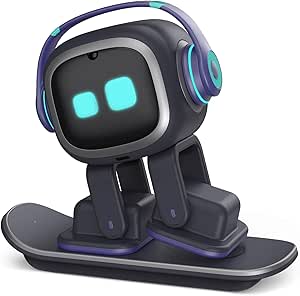
EMOPET EMO AI Desk Robot Companion with Voice Commands, ChatGPT Conversations, and Dancing
EMO is the clearest choice for voice-led companionship in this group, with ChatGPT-powered conversations alongside dancing, app-connected games, and responses to touch and gestures. That connected approach separates it from the Just Play emotoBOT COR-A, whose many activities work without Wi-Fi but do not offer AI chat. A camera and sensors let EMO respond to its surroundings, while the EMOPET app can record milestones, giving it more of a desk-companion role than the movement-focused Ruko 18011. The tradeoff is dependence on network connectivity for its ChatGPT conversations, so it is less suited to offline play. It is also recommended for ages 15 and up, which makes it a poor match for younger children shopping for a simple character toy. The package includes an adapter, skateboard, and smart light, but not a charging station.
Pros:- Supports voice commands and ChatGPT-powered conversations.
- Combines dancing and app-connected games with touch and gesture responses.
- Camera and sensors let it react to gestures and its surroundings.
- Includes a skateboard and smart light.
Cons:- ChatGPT-powered conversations require a network connection.
- A charging station is not included.
- Recommended age of 15 years and up rules it out for many younger-child buyers.
Best for: Teens and older users who want a connected desk companion for voice commands, AI-powered conversation, and app-based activities.
Not ideal for: Families seeking an offline robot for young children, or buyers who want the charging station included.
- Model:EMO
- Recommended age:15 years and up
- Connectivity:Network connection and EMOPET app
- Voice features:Voice commands and ChatGPT-powered conversations
- Sensors:Camera, touch, and gesture response
- Activities:Dancing and app-connected games
- Included items:Robot, adapter, skateboard, smart light, and user manual
- Charging station:Not included
Our verdict“Pick EMO for connected AI conversations and desk companionship, not for offline or preschool play like the Ruko 18011.”
Ruko 18011 Interactive Programmable Robot Dog
The Ruko 18011 is the strongest fit for children who want to direct a robot dog rather than chat with a desk companion. It walks, spins, dances, wags its tail, responds to touch, and offers remote and hand-gesture controls; programming up to 50 moves adds a simple creative challenge. That makes it more action-oriented than the Just Play emotoBOT COR-A, which focuses on character activities and pretend accessories. Its obstacle avoidance and more than 30 LED expressions add feedback during play, while the KingsDragon 822 offers a broader robot routine of speech and singing instead. The key limitation is stamina: play lasts up to 45 minutes after a three-hour charge. The remote also needs two AAA batteries, and USB-C-to-USB-C charging is not compatible, so check the available power setup before choosing it.
Pros:- Offers both 2.4 GHz remote and hand-gesture controls.
- Programming mode supports up to 50 custom moves.
- Obstacle-avoidance sensors help it move around furniture and walls.
- More than 30 LED expressions add visual feedback.
Cons:- Play time is up to 45 minutes, followed by a charging time of about three hours.
- Remote requires two AAA batteries, which are not included.
- USB-C-to-USB-C charging is not supported.
Best for: Children three and older who want a robot dog they can steer, teach gesture commands, and program into custom movement sequences.
Not ideal for: Families wanting long play sessions between charges, or buyers who use only USB-C-to-USB-C charging equipment.
- Model:18011
- Recommended age:3 years and up
- Controls:2.4 GHz remote and hand gestures
- Remote range:Up to 98 feet
- Programmable moves:Up to 50
- LED expressions:More than 30
- Charging and play time:About 3 hours to charge; up to 45 minutes of play
- Charging cable:USB-A to USB-C; USB-C-to-USB-C is not compatible
- Dimensions:8.86 × 8.86 × 9.84 inches
Our verdict“Choose the Ruko 18011 for a programmable, remotely controlled robot dog; choose the KingsDragon 822 for a humanoid robot that adds speech and singing.”
Ozega Interactive Smart Robot Dog with Remote and App Control
Ozega stands out for giving kids several ways to interact: voice commands, touch, an app, and a 2.4 GHz remote. Its 13 voice commands and LED expressions make everyday play accessible without relying on app control, while programming up to 50 motion sequences adds a creative layer. Compared with the Ruko 18011, Ozega adds both app and voice control and lists a slightly longer remote range; Ruko, by contrast, gives a specific play-time estimate and names its obstacle-avoidance feature. Ozega is designed for indoor and outdoor surfaces including carpet, wood floors, and lawns, with anti-slip wheel paws intended to support that range. The main uncertainty is battery runtime: the product description promises hours of play but gives no duration, making session planning harder. App control also requires a compatible device.
Pros:- Combines remote, app, voice, and touch controls.
- Recognizes 13 voice commands and supports up to 50 programmed sequences.
- LED face displays expressions during play.
- Designed for surfaces including carpet, wood floors, and lawns.
Cons:- App-based control requires a compatible app.
- The product data does not specify battery runtime.
- Obstacle avoidance is not listed among the provided features.
Best for: Families who want a robot dog with multiple control methods and the option to play on different household and outdoor surfaces.
Not ideal for: Buyers who need a stated battery runtime, prefer not to use a compatible app, or want clearly documented obstacle avoidance.
- Model:Robot Dog-988A-7 Blue
- Recommended age:3 years and up
- Control methods:2.4 GHz remote, app, voice commands, and touch sensing
- Voice commands:13
- Programmable sequences:Up to 50
- Remote range:Up to 100 feet
- Charging:Type-C charging port and cable included
- Materials:Non-toxic, BPA-free materials
- Intended surfaces:Carpets, wood floors, and lawns
Our verdict“Pick Ozega for broad control choices and multi-surface play; choose the Ruko 18011 if a stated runtime and obstacle avoidance matter more.”
KingsDragon Gesture-Controlled Programmable Robot Toy
KingsDragon is the better pick for extended indoor play: its stated run time is about 1.5 to 3 hours after roughly a two-hour USB charge, well beyond the Ruko 18011’s up-to-45-minute play window. It also covers a broad set of robot routines, including walking, turning, patrolling, singing, dancing, and speech, with hand gestures or a remote for control. Up to 50 recorded moves give kids room to build their own sequences, much like the programmable Ozega robot dog, though Ozega adds app and voice control instead. KingsDragon’s obstacle detection and adjustable volume help tailor its behavior and sound to an indoor room. The tradeoff is a narrower play setting: it is designed for indoor use, and its humanoid format lacks the dog-like character cues of the Ruko and Ozega options.
Pros:- Offers hand-gesture and remote control.
- Can record up to 50 programmed moves.
- Combines walking, singing, dancing, and speech with LED eyes.
- Obstacle detection and adjustable volume suit indoor play.
Cons:- Designed for indoor use only.
- Play time varies from approximately 1.5 to 3 hours per charge.
- Does not list app or voice-command control.
Best for: Children ages 6–10 who want a gesture-controlled humanoid robot for indoor routines, dancing, speech, and custom move sequences.
Not ideal for: Buyers looking for outdoor play, a robot dog character, or app and voice-command controls.
- Model:822
- Dimensions:5.91 × 3.54 × 10.24 inches
- Weight:1.2 lb
- Controls:Hand gestures and remote control
- Programmable moves:Up to 50
- Features:Obstacle detection, LED eyes, singing, dancing, speech, and adjustable volume
- Charging:USB rechargeable; approximately 2 hours to charge
- Play time:Approximately 1.5–3 hours
- Recommended age and use:Ages 6–10; indoor use
Our verdict“Choose KingsDragon for a humanoid robot with varied routines and longer stated play time; choose Ozega if a robot-dog character and app or voice control are higher priorities.”
Interactive Remote-Control Robot Toy for Kids with Voice Recording, Dance, and Gesture Control
For younger children who want a robot that responds in several ways, this 10-inch model brings together gesture control, a remote, dancing, and voice playback. Its four voice effects give kids a playful way to record and replay their own words, while songs, stories, jokes, and lights add variety without needing an app. Compared with the Contixo R1, it offers more listed entertainment modes and a longer set of control options, though the R1’s smaller body may suit tighter play spaces. The main compromise is endurance: playtime is listed at up to 60 minutes per charge. I’d also follow the stated age range of 36 months to 6 years rather than the broader age suggestion implied by the title.
Pros:- Gesture and remote controls offer two ways to direct the robot.
- Records and replays voices with four voice-changing effects.
- Songs, stories, jokes, dancing, and LED lights provide varied play.
- Auto-sleep and low-battery protection are included.
Cons:- Playtime is limited to up to 60 minutes per charge.
- The listed recommended age is 36 months to 6 years, narrower than the title suggests.
Best for: Children ages 3 to 6 who enjoy dancing characters, voice-changing playback, and switching between gesture and remote control.
Not ideal for: Families seeking long sessions between charges or a robot for older children who want coding activities.
- Brand:great dachong
- Model:BG1545
- Size:10 inches
- Dimensions:6 × 3 × 10 inches
- Controls:Remote control and gesture control
- Playtime:Up to 60 minutes per charge
- Recommended age:36 months to 6 years
Our verdict“Choose this for younger kids who want varied voice and dance play, but skip it if you need longer sessions or coding challenges.”
Casio Moflin AI Pet Robot Companion with Emotional AI, MofLife App, Silver
Moflin is designed less as a toy that performs on command and more as a small interactive pet. It responds to touch, voice, light, and movement with soft sounds and gentle head motions, while its emotional AI is described as developing a distinct personality over about 50 days. That slow, nurturing interaction sets it apart from the WhalesBot Pubbo Air, which puts coding activities and directed play ahead of companionship. Moflin’s app adds an emotion display and journal, but the robot does not understand or record speech; voice interaction is about responses to sound, not conversation. A compatible phone is needed for app features, and up to five hours of play per charge means regular charging is part of the routine.
Pros:- Responds to petting, hugging, talking, and being carried.
- Emotional AI develops a distinct personality over time.
- MofLife app provides an emotion display and interaction journal.
- Charging bed and AC adapter are included.
Cons:- Does not record or understand spoken words.
- A compatible smartphone and app are required for MofLife features.
- Playtime is up to five hours per charge.
Best for: Teens and adults seeking a soft, low-key robot companion whose personality develops through repeated touch and everyday interaction.
Not ideal for: Buyers who want spoken conversation, screen-based games, coding lessons, or a companion that runs for long stretches without charging.
- Brand:Casio
- Model:PE-M10SR-IJ
- Character:Moflin
- Weight:9 ounces
- Sensors:Touch, microphone, light, and motion sensors
- App compatibility:iOS 15 or later; Android 8.0 or later
- Charging time:About 3.5 hours
- Playtime:Up to 5 hours
- Recommended age:13 years and up
Our verdict“Pick Moflin for gentle, pet-like interaction and an evolving personality, not for conversation or educational activities.”
WhalesBot Pubbo Air Interactive Coding Robot for Kids
The Pubbo Air makes the strongest case here for play that develops into hands-on coding. Kids can use app activities for coding quests, line following, and maze navigation, then switch to touch, voice, or remote controls for more open-ended interaction. Its screen animations, sounds, dances, and emojis help it feel like a character robot rather than a coding kit alone. Compared with the 7-inch AI Robot Toy, Pubbo Air is more focused on programming challenges; the other model offers a larger screen and Android apps, but its learning activities depend more on general app access. Pubbo Air’s main tradeoff is that its coding and creative tools rely on the Pubbo app, so it is less self-contained than a robot played directly from its controls.
Pros:- Coding quests introduce line following and maze navigation through play.
- Touch, voice, app, and remote controls support different interaction styles.
- Customizable dances, sound effects, and emojis add creative character play.
- Includes a map, remote controller, quick start card, and user manual.
Cons:- Coding and app activities require the Pubbo app.
- The stated recommended age is 6 years and up, despite broader age suggestions in the title.
Best for: Children age 6 and up who enjoy character-based play and are ready to explore coding through guided quests and movement challenges.
Not ideal for: Families who want app-free play or a robot aimed at children younger than the stated six-and-up age recommendation.
- Brand:WhalesBot
- Model:Pubbo Air
- Recommended age:6 years and up
- Controls:Touch, voice, app, and remote
- Features:Screen animations, sounds, sensors, coding quests, line following, and maze navigation
- Material:Aluminum
- Battery type:Lithium-ion
- Included components:Robot, remote controller, map, quick start card, and user manual
Our verdict“Choose Pubbo Air when coding and movement challenges matter more than app-free play or a large screen.”
Contixo R1 Interactive Kids Robot Toy, Blue
At just over five inches long, the Contixo R1 is the most compact choice in this group for children who want a character robot that can sing, dance, walk, and repeat their words. Its voice control and touch sensors provide direct interaction without a phone app, and directional movement gives kids more to do than simply trigger sounds. Compared with the 10-inch great dachong robot, the R1 takes up less space and is easier to put away, but it offers fewer listed extras: there are no stated stories, jokes, or voice-changing effects. It runs on three AAA batteries, which are not included, so buyers need to supply them before play. The small size suits simple play, but it may feel limited for children seeking coding or more elaborate character features.
Pros:- Compact dimensions make it easy to store between play sessions.
- Voice control and touch sensors provide two direct interaction methods.
- Records and replays voices.
- Walks forward, backward, left, and right.
Cons:- Requires three AAA batteries, which are not included.
- Offers fewer listed entertainment features than the larger great dachong robot.
- Does not list coding activities or app-based play.
Best for: Families with limited storage space who want a small, straightforward robot for singing, movement, touch, and voice-play basics.
Not ideal for: Buyers who want rechargeable power, app-based learning, or a broad selection of stories and interactive modes.
- Brand:Contixo
- Model:R1-Blue
- Material:Plastic
- Dimensions:5.12 × 3.94 × 3.39 inches
- Controls:Voice control and touch sensor
- Movement:Forward, backward, left, and right
- Batteries:3 AAA batteries required; not included
- Age range:Above 3 years
Our verdict“Choose the R1 for compact, simple character play, but look elsewhere for rechargeable power or richer activities.”
AI Robot Toy for Kids with Voice Interaction and 7″ Touch Screen
This robot is the most screen-centered option in the group, pairing AI voice chat and moving wheels with a 7-inch display for drawing, letters, stories, songs, games, and educational videos. Android and Google Play support give it more app flexibility than the WhalesBot Pubbo Air, whose appeal is more specifically built around coding quests, line following, and maze play. That breadth can suit children who want one device for several kinds of activities, but it also makes the experience more dependent on setup: Wi-Fi is required, and some functions may need a Google account. The listed 4–6-hour battery life supports a substantial session, though continuous use still calls for charging. Buyers seeking a screen-free character interaction may find its tablet-like role a mismatch.
Pros:- Seven-inch touchscreen supports drawing and educational apps.
- AI voice chat includes multilingual support.
- Android and Google Play allow access to apps.
- Wheels enable movement and dancing.
Cons:- Battery life is listed at 4–6 hours of continuous use.
- Wi-Fi is required, and full functionality may need a Google account.
- Its screen-based activities may not suit buyers seeking screen-free play.
Best for: Families seeking a mobile, screen-based learning companion for drawing, early literacy, stories, and app-based activities.
Not ideal for: Buyers who prefer screen-free interaction, do not want Wi-Fi-dependent features, or want a robot centered on physical coding challenges.
- Screen size:7 inches
- Resolution:1024 × 600
- RAM:1 GB
- Internal storage:16 GB
- Expandable storage:TF card support
- Battery capacity:4000 mAh
- Battery life:4–6 hours
- Connectivity:2.4 GHz Wi-Fi and Bluetooth
- Operating system:Android
Our verdict“Choose this model for a mobile learning hub with voice interaction and apps, but skip it if you want screen-free play or app-independent use.”

How We Picked
I compared these 15 robots by the kind of interaction they support: direct remote control, gesture response, programming, voice conversation, app-based play, coding, or companion-style behavior. I also weighed how easily a child or adult can start using each type, whether its central activity offers repeat play, and how much setup or device support may be involved. Build and care needs matter too, particularly for robot pets and desk companions that may be handled often or rely on a companion app.
The ranking favors clear, useful interaction over feature count alone. The Ruko 1088 leads as a broadly approachable programmable toy; Eilik earns a distinct place for compact companion play, and WhalesBot Pubbo Air is set apart by its coding focus. Specialized choices rank behind those broader picks when they suit a narrower audience, depend more heavily on a particular play style, or offer interaction that may be less engaging over time. Product descriptions do not establish long-term reliability or the quality of every voice or AI interaction, so I treat those as points for buyers to verify rather than proven advantages.
Factors to Consider When Choosing Best Interactive Character Robots
Before choosing, decide what you want the robot to do repeatedly—not just what its feature list promises. The factors below help separate a toy for quick play from a companion, coding tool, or screen-based device.
Choose the Interaction You Want to Repeat
Remote control gives a child immediate influence over movement, while programming asks them to plan a sequence and learn from the result. Voice or gesture control can feel more character-like, but those features are most rewarding when they respond consistently and are easy to trigger. Companion robots focus on small exchanges and reactions rather than a defined game or lesson. A common mistake is buying the robot with the longest feature list without asking which interaction the recipient will return to. Pick one main activity first, then treat secondary modes as a bonus. If several people will share the toy, simpler controls may matter more than a specialized learning feature.
Match the Robot to the Child’s Age and Patience
Age guidance is a starting point, not a guarantee that a robot will feel easy to use. Younger children often benefit from clear controls and quick feedback, while older kids may welcome programming steps or more involved app features. Think about how much help an adult can provide during setup and early play. A model that depends on a phone, pairing, or reading instructions may frustrate a child who expects to start playing right away. For a gift, check whether the intended user can manage the controls independently or will need ongoing help. The best fit is the one whose learning curve matches the child’s patience, not simply the one with the most advanced-sounding features.
Check App, Connectivity, and Account Requirements
App-linked robots can add activities, controls, or conversation features, but they also make a phone or tablet part of the experience. Check which devices the app supports and whether an account, internet access, or ongoing connection is required for the features you care about. Voice-enabled products deserve a closer look at microphone behavior, privacy settings, and how conversations are handled. A buyer may otherwise discover that a headline feature depends on software or connectivity they do not want to provide. If the robot must work without a personal device, prioritize options whose basic play modes are available directly on the toy or its included controller. Keep software support in mind when a product’s appeal depends heavily on an app.
Separate Educational Play from a Learning Label
A robot can be programmable without teaching a structured coding curriculum. For a learning purchase, look for a clear progression: can the child create a command sequence, test it, and change it when the result differs from what they expected? Coding-focused products such as the WhalesBot Pubbo Air are a more direct match for that goal than a general robot with a few programmed motions. Ask whether the activity encourages problem-solving or mainly plays back preset actions. A simpler toy may still support useful experimentation, but it should not be mistaken for a full lesson plan. If learning outcomes matter, check the included activities and available guidance before choosing.
Plan for Space, Handling, and Care
Moving robots need enough clear floor or tabletop space to operate without repeatedly hitting furniture, cords, or breakable items. Desk companions occupy less play area, but may be better suited to a stable surface than to rough handling. Robot pets can invite more physical play, so check the product’s care instructions and whether parts or accessories require special attention. Battery type, charging method, and expected play sessions also affect how readily the robot can be used, though these details vary by model. Do not assume a larger robot is more engaging or a smaller one is automatically more portable. Choose for the actual room and handling style, then check the manufacturer’s care guidance.
Pay for a Clear Use Case, Not More Modes
A higher-feature model makes sense when its extra capability supports a specific need, such as ongoing companionship, coding practice, or app-based control. It is harder to justify added complexity when the recipient mainly wants a robot that walks, dances, or responds to a controller. Consider how often the special feature is likely to be used after the first few play sessions. For younger beginners, straightforward operation can be more valuable than multiple modes they cannot access independently. For a committed hobbyist or a child who enjoys structured challenges, extra programming options may earn their place. Set your priorities before comparing feature lists, and skip functions that do not change how the robot will be used.
Frequently Asked Questions
Which type of interactive robot is best for a child who has never used one?
For a first robot, prioritize simple controls, clear feedback, and a main activity that starts quickly. A remote-controlled or basic programmable toy may be easier to learn than a companion that depends on an app or voice setup. The Ruko 1088 is the roundup’s approachable overall choice, but age guidance and the child’s interest should shape the final pick. Check whether the robot needs an adult to pair a device or configure features before play. A beginner is more likely to enjoy a robot they can operate independently than one with a longer list of modes.
Should I choose a robot companion or a programmable toy?
Choose a companion if the goal is character-like reactions, conversation, or an ongoing presence on a desk. Choose a programmable toy if the recipient wants to direct movement, create sequences, or experiment with cause and effect. These experiences are not interchangeable: a companion may offer less structured learning, while a coding toy may feel more like an activity than a pet. Think about how the robot will be used on an ordinary day, not only during the first unboxing. If the recipient wants both, check that the product meaningfully supports both kinds of play rather than offering a minor extra mode.
Do app-connected or AI robots need internet access to work?
Requirements vary by model and by feature, so check the manufacturer’s instructions for the exact product before buying. Some controls may work locally while chat, updates, or app features depend on a device or connection. Do not assume that every advertised interaction works offline. If internet access is limited or you prefer not to connect a child’s toy, confirm which core activities remain available without it. Also review app compatibility, account needs, and privacy settings, especially when the robot has voice interaction.
Is a robot dog a better choice than a character robot for active play?
A robot dog may suit a child drawn to animal characters and movement, while a humanoid or desk character may be a better match for gestures, conversation, or programming activities. Neither form guarantees more active or varied play; controls and available responses matter more than appearance. Consider the space available, how the robot moves, and whether it can be used safely around nearby furniture and pets. Robot pets also do not replace the responsibilities or behavior of a real animal. Choose the character type that fits the child’s interests and the household’s play space.
What should I check before buying an interactive robot as a gift?
Confirm the recipient’s age, preferred play style, and access to any required phone, tablet, or internet connection. Then check what comes in the box, how the robot is powered, and whether setup or adult help is needed. For a child who enjoys building skills, look for programming or coding activities with clear instructions; for a character-loving child, focus on the interaction they can trigger directly. Review care guidance and any small accessories if the toy will be used by younger children. These checks help prevent a mismatch between a robot’s advertised abilities and the recipient’s everyday setup.
Conclusion
My best overall recommendation is the Ruko 1088 for buyers seeking a programmable robot toy with an approachable play focus. For best value in straightforward play, compare the simpler remote- and gesture-controlled options, such as the Ruko 6088 or KingsDragon, and choose based on the controls and age fit you prefer. The best premium-style companion is the Casio Moflin for buyers specifically drawn to an AI pet experience, while Eilik is the more compact desk companion. For beginners, the Ruko 1088 is my clearest starting point; for coding-focused play, choose WhalesBot Pubbo Air. If the recipient wants a robot dog, look at Ruko 18011 or Ozega; if voice interaction or a screen is the priority, compare those models’ setup and connectivity needs before deciding.